


Buffer/Polish and swirl mark remover help (pics incl)


Thread Starter
Registered User
Joined: May 2006
Posts: 207
Buffer/Polish and swirl mark remover help (pics incl)
Okay, so I recently bought a Porter Cable (PC) 7424 buffer (see previous post ref. "looking at getting a buffer/polisher") and I also got some Zaino Polish and Swirl mark remover (Z-PC). I am getting ready to really put the machine to good use but thought I would first practice with an old hood that I have lying around. This hood is in great shape cosmetically, paint is brand new because it came off of a new vehicle. I washed and dried the hood just as if it were on a normal car. I then broke out the PC7424, attached the orange light cutting pad that I got from autogeek.net (came with the PC in a kit), squirted some compound on the pad, worked it in first with PC off, set the speed at 4 and turned it on. Polish slung everywhere; even all the way across on the other side of the hood where I haven't even worked yet. PC worked great though, polish worked itself in faster than I thought. So, I stopped, buffed excess residue off and noticed that there were no more swirl marks and the paint was slick as glass. However, I also noticed that there were the "new" swirl marks that were not previously there. (see attached pic). These marks are only visible when the sun reflects off of the paint and you really have to get down and look at them to notice.
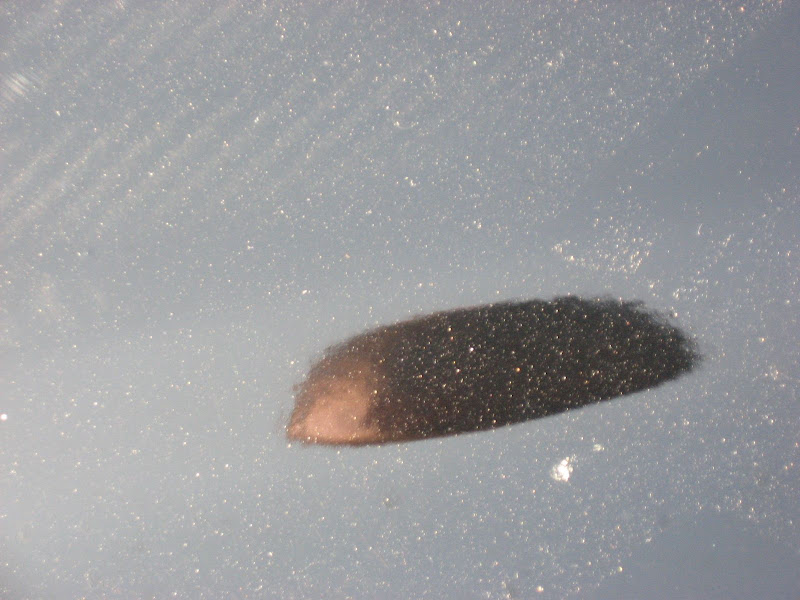
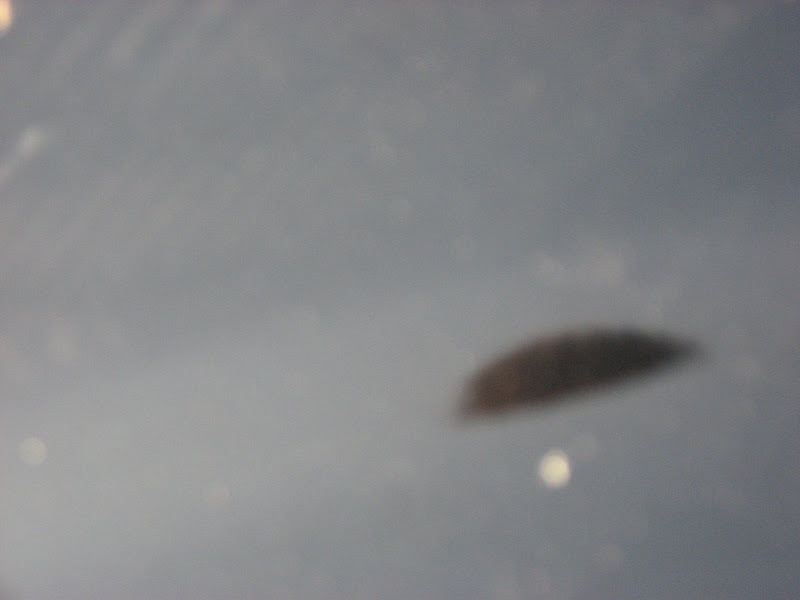
*The large blot in the pics is the reflection of my head and the spots are dirt that had accumilated since the buffing and the photoshoot.*
I know that polishing is the next step in the instructions, but I just wanted to ask first to see if polishing would indeed take these out or is this normal or did i do something wrong. Also, I guess it would be a good idea to re-wash the vehicle after one is done using Z-PC because the polish will have gotten everywhere???
*The large blot in the pics is the reflection of my head and the spots are dirt that had accumilated since the buffing and the photoshoot.*
I know that polishing is the next step in the instructions, but I just wanted to ask first to see if polishing would indeed take these out or is this normal or did i do something wrong. Also, I guess it would be a good idea to re-wash the vehicle after one is done using Z-PC because the polish will have gotten everywhere???

Registered User
Joined: Mar 2000
Posts: 489
From: Schuylkill County PA
Well first I have to say that Z-PC is not one of my favorite products. It's an extremely mildly abrasive polish that will only do very minor corrections. If it was slinging all over, you may have applied too much to the pad to begin with. Also I usually make my first pass at speed 2.5-3 to start working the product in; 4 might be a little fast. With the polishing process you may need to go through several progressive steps to get the desired results (think of it as wetsanding, without the paper). Even though I wouldn't expect many new swirls/holograms using Z-PC just because it's so mild, your choice of pad might have something to do with that. So yeah, it's not uncommon to have to go over the area again. The pictures are still a little tough to make out but I guess at this point I would use an All-In-One product (like Zaino) with a white pad and see what results you get.
Thread Starter
Registered User
Joined: May 2006
Posts: 207
I should have been more specific. The problem that developed out of the usage of the product is better seen in the first picture. More specifically, it is the vertical lines that run in sequence of each other. They are kind of hard to see; only visible when sun hits them just right.

Registered User
Joined: May 2008
Posts: 116
From: Victoria, B.C.
It's tough to tell from the pics what happened exactly, but I can assume that you have some swirls... No big deal, as an orbital buffer/polisher is perfect for removing them (although it can also apply them!)
Try getting away from the cutting pad. you don't need to cut on fresh paint, and cutting can leave those deep swirls in the paint. You would need to polish those out in a second application process.
Try using a softer pad, and at low RPM with your PC, go slowly over the panel you're detailing. Don't rush it, and let the product do it's work. You will see those swirls get polished away.
In the future, when applying polish/wax, apply directly to your pad, then (with the PC in hand) spread the polish/wax over the panel that you'll be detailing. This will eliminate the pool of product splashing all over the place, and save you $$$.
Try getting away from the cutting pad. you don't need to cut on fresh paint, and cutting can leave those deep swirls in the paint. You would need to polish those out in a second application process.
Try using a softer pad, and at low RPM with your PC, go slowly over the panel you're detailing. Don't rush it, and let the product do it's work. You will see those swirls get polished away.
In the future, when applying polish/wax, apply directly to your pad, then (with the PC in hand) spread the polish/wax over the panel that you'll be detailing. This will eliminate the pool of product splashing all over the place, and save you $$$.
Registered User
Joined: Mar 2000
Posts: 489
From: Schuylkill County PA
They just look like buffing trails. Have you sprayed them with quick detailer and used some microfiber towels? If that doesn't improve the area then I'd say go with a softer pad and your choice of All-In-One product.
Thread Starter
Registered User
Joined: May 2006
Posts: 207
Thanks for all the help; i'll definitely heed the advice. Just so you all know the pad I used came with the PC kit. It was a firm orange pad that said it was used for light cutting. However, it is definitely harder than the other, softer polishing and cutting pads.
This is the pad that I used (came with my PC kit as two extra free ones, not made by Lake Country):

I was thinking about trashing those and getting these Lake Country orange light cutting pads as they appear to be much softer:
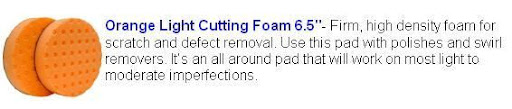
I don't think these would leave those swirl marks, or would they?
This is the pad that I used (came with my PC kit as two extra free ones, not made by Lake Country):
I was thinking about trashing those and getting these Lake Country orange light cutting pads as they appear to be much softer:
I don't think these would leave those swirl marks, or would they?
Last edited by EHuff; Jun 1, 2008 at 08:18 PM. Reason: added picture
Registered User
Joined: Mar 2000
Posts: 489
From: Schuylkill County PA
Can't see those pics. Any firm pad used with an abrasive compound can leave marks or holograms that then have to be polished down further. It's just a progressive process. But always try the least abrasive method first, and work your way up the scale to get the desired result. Lake Country CCS pads are high quality and I'd highly recommend getting some to complement your PC.


Thread
Thread Starter
Forum
Replies
Last Post
F'n1996Z28SS
Cars For Sale
8
Aug 23, 2023 11:19 PM
Victor Lamb
Suspension, Chassis, and Brakes
3
Aug 26, 2017 02:52 PM
ChrisFrez
2010 - 2015 Camaro News, Sightings, Pictures, and Multimedia
2
Dec 7, 2014 11:32 AM
Z284ever
Automotive News / Industry / Future Vehicle Discussion
57
Aug 4, 2002 03:48 PM